Keeping our pupils safe online is important to us. Find out more here.
At Newport Infant School we take online safety seriously. Our school system security is provided by Telford and Wrekin and is reviewed regularly. Our security measures are monitored both internally and externally to help safeguard our pupils from unsuitable material.
The internet is a place for creativity, wonder, play and expression. However, it can also be very daunting and you may worry about the risks your child can face online, such as cyber bullying, contact from strangers, illegal or inappropriate content and adverts.
E-safety is an integral part of children’s education in today’s digital world. It is embedded into their learning at school and we are passionate about equipping our parents with the right support to help them navigate online safety at home.
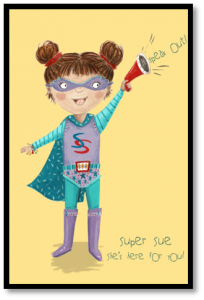
Super Sue is a superhero who was created by our own pupils to help them understand how they can stay safe in school and at home.
With the help of Super Sue, our pupils are taught esafety rules to help them navigate the online world safely and respectfully:
Be kind
Always be polite and treat people kindly online, just like in real life.
Keep passwords private
Don’t share your password with friends or strangers.
Tell a grownup
Always tell a trusted adult if you see something online that upsets you.
Don’t share personal information
Use an avatar profile picture where possible and don’t share your real name, address or school.
What can I do to keep my child safe?
At home you can ensure that parental controls are set up on your devices. It is important to note that no system is effective all of the time, therefore it is essential that you also talk to your child about staying safe online. Click below to find help with setting up safety restrictions on your devices:
Parental Controls on devices
Help with New Devices
Supporting families online
If you are unsure of how to talk to your child about online safety, you may find these Conversation Starters for Parents helpful. Try to show an interest in what they are doing online and ask questions in the same way that you ask about their day at school.
Try to set screen limits together as a family. Know how long you think is acceptable on a device and work together to stick to it. You could write up a plan or use a timer to help younger children understand the rules.
Reporting
Parents, carers and staff can report concerns about harmful or upsetting content, bullying and abuse online. We encourage parents to report concerns to the Designated Safeguarding Leads (DSL) in school. The DSL can be contacted by telephoning the school or via our email address A2074@telford.gov.uk.
Our Designated Safeguarding Leads
Emma Heeley
Emily Russell
Ann Cotterill
Stacie Magnier
Parents can also report incidents to the following organisations:
UK Safer Internet Centre
CEOP (Child Exploitation and Online Protection
Useful Information
If you are concerned about a game or app, you may find it useful to read the parent guides below. Please note, many of the games are intended for much older children.
Always adhere to the age rating on games and apps.
Roblox
Youtube
Fortnite
Minecraft
tik-tok-parents
Snapchat-Parents-Guide
Call of Duty
Whatsapp
Grand Theft Auto
Nintendo Switch
Always contact us in school if you have a concern about online safety.
.